Tuesday, 2 October 2012

Add Sleek and Cool Search Boxes to Blogger


We recently shared simple yet cool search boxes widget for blogger. Now its time for something new, cool, beautiful and sleek. So here comes sleek and cool search boxes for blogger/blogspot. It’s using simple image and css, HTML. Actually these are PSD source designed by Design3edge. We work hard in converting this to Blogger for YOU. Hope you enjoyed with this!
sleek search boxes by allbloggingtips

How To Add Cool Search Boxes To Blogger

  1. Login to Blogger Dashboard   => Design tab  => Page Elements .
  2. Click on Add a Gadget where you wish to place this Search Boxes.
  3. Choose HTML/JavaScript from the List.
  4. Place any one Search Box code in to it and Save the Gadget.

Style 1

search boxes
<style type="text/css">
#abt-searchbox{
border-radius:5px;
background:URL(https://blogger.googleusercontent.com/img/b/R29vZ2xl/AVvXsEhs6k-_oMmy_Bq0s8pFYPII2t4P_DJRliRWjegMQO7XjIF1Wp3_88bhCdW6q1DB6hxDrOTXw_A3EJ4q0YSbvpTNw8pqIGCjhZ0A-syfbxPORogok0bJH8Hc5oyOil626GRccCZiQxa4DnA/s1600/black.png) no-repeat scroll center center transparent;width:307px;height:50px;disaply:block;}
form#abt-searchform{display: block;padding: 10px 12px;margin:0;}
form#abt-searchform #s{padding-left:16px !important; padding:7.5px;margin:0;width: 235px;font-size:14px;vertical-align: top;border:none;background:transparent;}
form#abt-searchform
#sbutton{margin:0;padding:0;height:40px; width:44px;vertical-align: top;border:none;background:transparent;}
</style>
<div id="abt-searchbox">

<form id="abt-searchform" action="/search" method="get">
    <input type="text" id="s" name="q" value="Search..." onfocus='if (this.value == "Search...") {this.value = ""}' onblur='if (this.value == "") {this.value = "Search...";}'/>
    <input type="image" src="http://img1.blogblog.com/img/blank.gif" id="sbutton" />
</form>
</div>

Style 2

search boxes
<style type="text/css">
#abt-searchbox{
border-radius:5px;
background:URL(https://blogger.googleusercontent.com/img/b/R29vZ2xl/AVvXsEiXkL2QPdnpqMd0JvCBTqcPhp9yVgivkKRUcKl4ty4srOzl349QyL4gOu_1gBm5bUQ6R4tc4KsuUeo4awnhU5oYfmIQ3KV5rlrgC2G0Fzr_jgZ3tgS7hg2hCCuD00ClLc9rwNFZKebJq2c/s400/whitez+by+abt.png) no-repeat scroll center center transparent;width:307px;height:50px;disaply:block;}
form#abt-searchform{display: block;padding: 10px 12px;margin:0;}
form#abt-searchform #s{padding-left:16px !important; padding:7.5px;margin:0;width: 235px;font-size:14px;vertical-align: top;border:none;background:transparent;}
form#abt-searchform
#sbutton{margin:0;padding:0;height:40px; width:44px;vertical-align: top;border:none;background:transparent;}
</style>
<div id="abt-searchbox">

<form id="abt-searchform" action="/search" method="get">
    <input type="text" id="s" name="q" value="Search..." onfocus='if (this.value == "Search...") {this.value = ""}' onblur='if (this.value == "") {this.value = "Search...";}'/>
    <input type="image" src="http://img1.blogblog.com/img/blank.gif" id="sbutton" />
</form>
</div>

Style 3

search boxes
<style type="text/css">
#abt-searchbox{
border-radius:5px;
background:URL(https://blogger.googleusercontent.com/img/b/R29vZ2xl/AVvXsEh6y64UaBE_-1TTEmd6oVA4NAvBZjw8pcOXGHr4h3mdtBUEBaex6909WvhwiGkjOlItS-zAH4OZDb-x1EQT2nB9Z-pe6GMjTLo0zU5ffbPqvReEvur5puzLeae8qU2OOWipb1b5sTz5VDE/s400/bluez+by+allbloggingtips.png) no-repeat scroll center center transparent;width:307px;height:50px;disaply:block;}
form#abt-searchform{display: block;padding: 10px 12px;margin:0;}
form#abt-searchform #s{padding-left:16px !important; padding:7.5px;margin:0;width: 235px;font-size:14px;vertical-align: top;border:none;background:transparent;}
form#abt-searchform
#sbutton{margin:0;padding:0;height:40px; width:44px;vertical-align: top;border:none;background:transparent;}
</style>
<div id="abt-searchbox">

<form id="abt-searchform" action="/search" method="get">
    <input type="text" id="s" name="q" value="Search..." onfocus='if (this.value == "Search...") {this.value = ""}' onblur='if (this.value == "") {this.value = "Search...";}'/>
    <input type="image" src="http://img1.blogblog.com/img/blank.gif" id="sbutton" />
</form>
</div>

Style 4

search boxes
<style type="text/css">
#abt-searchbox{
border-radius:5px;
background:URL(https://blogger.googleusercontent.com/img/b/R29vZ2xl/AVvXsEiUGYL0GEGIDG2_AD2kFvXRjIkhlUtS8LJEEqLURupYGb7wQr0Zvo70jLIlCnTwZFuseZGF3i0ktTvqp_xXyW64z3MQZxgraG_XY-z6kqWKIQ_yxaOXq7Rinx_DlFlkswN9QrEpLb2DKHI/s400/transparent+by+allbloggingtips.png) no-repeat scroll center center transparent;width:307px;height:50px;disaply:block;}
form#abt-searchform{display: block;padding: 10px 12px;margin:0;}
form#abt-searchform #s{padding-left:16px !important; padding:7.5px;margin:0;width: 235px;font-size:14px;vertical-align: top;border:none;background:transparent;}
form#abt-searchform
#sbutton{margin:0;padding:0;height:40px; width:44px;vertical-align: top;border:none;background:transparent;}
</style>
<div id="abt-searchbox">

<form id="abt-searchform" action="/search" method="get">
    <input type="text" id="s" name="q" value="Search..." onfocus='if (this.value == "Search...") {this.value = ""}' onblur='if (this.value == "") {this.value = "Search...";}'/>
    <input type="image" src="http://img1.blogblog.com/img/blank.gif" id="sbutton" />
</form>
</div>

Style 5

search boxes
<style type="text/css">
#abt-searchbox{
border-radius:5px;
background:URL(https://blogger.googleusercontent.com/img/b/R29vZ2xl/AVvXsEg7-vKJTRJJGhjgPe1GTI2rWxUCJnMZMPQ92EKTKBOBz2_HUVyg31odmUVdNco4RbTxo9CvwJe8DaH_erVcn7P72zPzYAc91uzQYAeJK_xIlFhHbyNJmzHcXIjoRNNCOrIYzizR6RG2Jf4/s400/pinkz.png) no-repeat scroll center center transparent;width:307px;height:50px;disaply:block;}
form#abt-searchform{display: block;padding: 10px 12px;margin:0;}
form#abt-searchform #s{padding-left:16px !important; padding:7.5px;margin:0;width: 235px;font-size:14px;vertical-align: top;border:none;background:transparent;}
form#abt-searchform
#sbutton{margin:0;padding:0;height:40px; width:44px;vertical-align: top;border:none;background:transparent;}
</style>
<div id="abt-searchbox">

<form id="abt-searchform" action="/search" method="get">
    <input type="text" id="s" name="q" value="Search..." onfocus='if (this.value == "Search...") {this.value = ""}' onblur='if (this.value == "") {this.value = "Search...";}'/>
    <input type="image" src="http://img1.blogblog.com/img/blank.gif" id="sbutton" />
</form>
</div>

Credits

This is again a first time shared tutorial guide by AllBloggingTips. These scripts, widget and style sheets are provided only by ABT  therefore if you wish to share this tutorial with your readers and friends then kindly link back to this post as the only favour in return. :D
That’s all!. We hope you enjoyed this Cool Search Boxes. You can also subscribe  us to get our next tutorial in your inbox ;)

HOW TO: Increase Traffic To Your Photography Blog


So, you have a photography blog and you’ve been posting pictures for a long time and you’re still not getting enough traffic. The same happened to my friend. Traffic means a lot especially for blogs. It’s easy to manage a photo blog, but when it comes to traffic it may be difficult to get it. In this article I’m gonna show you how to increase traffic to your photo blog making the best use of the social networking sites.
Photography

1. Use Watermarks while sharing your pictures

One of the best way to increase traffic to your photo blog is to share your pictures with your blog URL watermark or use some text like this on the image – “For Full Size Visit This Website – [YOURBLOG].com”. You small size pictures while sharing, and tell them to visit your site for the full size images.

2. Join Photography groups on Facebook

There are many groups on Facebook for photographers, you can find them in the search bar in the Facebook homepage, then there you’ll find some posting there, send a friend request to anyone of them, and then, after he accepts the request, tell him to add you to the group. And then post your images(which should have watermarks). And then wait for a few days, you’ll see the increase traffic to your blog!

3. Pin your Images

Pinterest is the largest growing social networking site. You can drive large amounts of traffic from Pinterest, if you have good amount of followers. You may google it to find tips and tricks about how to increase followers and repins. Here are a few tips to get more followers -
  • Keep pinning regularly
  • Don’t pin only your (blog’s) images, but also keep pinning other awesome pics.
  • Comment on others images to gain exposure
  • Follow as many as you can, so that you’ll gain exposure, since they’ll see you in their notifications and may follow you back!

4. Add your images in Flickr

As you know, Flickr is one of the largest image sharing sites. Add some images in Flickr with a watermark text(make sure your blog URL, is in the watermark text.)

5. Optimize your images for search engines

SEO is the best way to increase traffic for any kinda blog. This is the same for photo blogs too. Here are few tips to optimize your images for search engines -
  1. Use keyword in file name
For example, let us think you’ve bought a new Mercedes, and you want to post that image in your photo blog, then the image with file name my-new-mercedes.jpg would get a better ranking in search engines than IMG00010.jpg
So, it’s better to use a keyword in a file name, to get a better ranking.
  2. Descriptive Alt Tags
The alt attribute describes the contents of an image file.(You can read about the importance of alt attribute in the image publishing guidelines). An image with alt attribute is market up as follows -
<img src="my-new-mercedes" alt="My New Mercedes" />
  3. SEO Friendly Images WordPress Plugin
SEO Friendly Images is a WordPress Plugin which automatically updates all images with proper alt and title attributes. It makes your SEO for images easy. Read more about this plugin here – http://wordpress.org/extend/plugins/seo-image/
You can read more about optimizing images for SEO here –http://support.google.com/webmasters/bin/answer.py?hl=en&answer=114016&ctx=sibling

Some website which increase your photo blog’s exposure -

Hope you find this article useful :)

How to Add Cool Floating Notification bar in Blogger


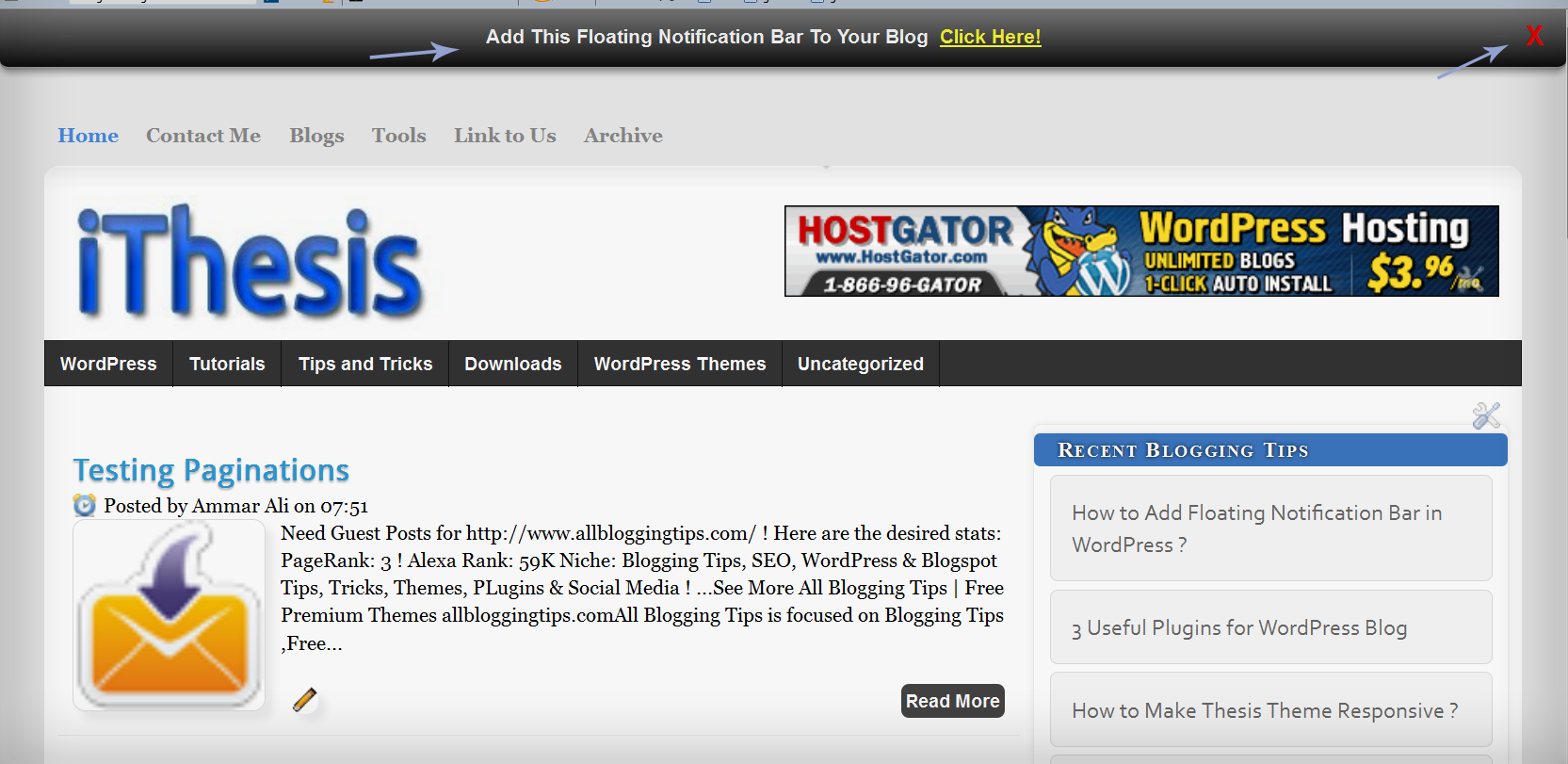
We already shared a floating notification bar for wordpress recently. Many of my readers request to create this floating notification bar for Blogspot/Blogger blogs and today we are sharing a simple yet Cool Floating Notification bar for Blogger. Its very easy to add this widget in blogspot. All you have to do is copy code given below, paste it in to your blog and customize text, link etc according to your needs. Isn’t that simple! :D
Blogger floating notification bar copynotification

Add Cool Floating Notification bar in Blogger !

First  Always Back Up Your Template Before You Any Make Changes – How To Back Up A Blogger Template
  • Goto Blogger  => Design => Edit HTML
  • Next search for this code
<body>
  •   Just below it paste the following code,
<!-- Notification code start -->
<style type='text/css'>
#ut-sticky
{
background: #7d7e7d; /* Old browsers */
background: -moz-linear-gradient(top,  #7d7e7d 6%, #7d7e7d 9%, #0e0e0e 99%); /* FF3.6+ */
background: -webkit-gradient(linear, left top, left bottom, color-stop(6%,#7d7e7d), color-stop(9%,#7d7e7d), color-stop(99%,#0e0e0e)); /* Chrome,Safari4+ */
background: -webkit-linear-gradient(top,  #7d7e7d 6%,#7d7e7d 9%,#0e0e0e 99%); /* Chrome10+,Safari5.1+ */
background: -o-linear-gradient(top,  #7d7e7d 6%,#7d7e7d 9%,#0e0e0e 99%); /* Opera 11.10+ */
background: -ms-linear-gradient(top,  #7d7e7d 6%,#7d7e7d 9%,#0e0e0e 99%); /* IE10+ */
background: linear-gradient(top,  #7d7e7d 6%,#7d7e7d 9%,#0e0e0e 99%); /* W3C */
filter: progid:DXImageTransform.Microsoft.gradient( startColorstr=&#39;#7d7e7d&#39;, endColorstr=&#39;#0e0e0e&#39;,GradientType=0 ); /* IE6-9 */

border-bottom:2px solid #999;

color:#fff;
text-align: center;
margin:-12px auto;
padding-bottom:1px;
border-top: 1px solid #333;
height:38px;
font-size:13px;
position:fixed;
vertical-align: baseline; overflow:hidden;
z-index:999;
width:100%;
border-bottom-left-radius:6px;
border-bottom-right-radius:6px;
display:block;
font-weight: bold;
font-family: arial,&quot;Helvetica&quot;;
font-color:#fff;
 -moz-box-shadow: 0 2px 4px hsla(0,0%,0%,.35);
 -webkit-box-shadow: 0 2px 4px hsla(0,0%,0%,.35);
}
#ut-sticky:hover
{

background-color:#333;background-image:-moz-linear-gradient(top,#555555,#434343);background-image:-ms-linear-gradient(top,#555555,#434343);background-image:-webkit-gradient(linear,0 0,0 100%,from(#555555),to(#434343));background-image:-webkit-linear-gradient(top,#555555,#434343);background-image:-o-linear-gradient(top,#555555,#434343);background-image:linear-gradient(top,#555555,#434343);background-repeat:repeat-x;filter:progid:DXImageTransform.Microsoft.gradient(startColorstr=&#39;#555555&#39;,endColorstr=&#39;#434343&#39;,GradientType=0)

-webkit-transition:all 1.3s ease-in-out;-moz-transition:all 1.3s ease-in-out;-o-transition-duration:all 1.3s ease-in-out;transition:all 1.3s ease-in-out;

 -moz-box-shadow: 0 2px 4px hsla(0,0%,0%,.35);
 -webkit-box-shadow: 0 2px 4px hsla(0,0%,0%,.35);

}

#ut-button {background:#fff; padding:4px; color:black;text-shadow:0 -1px 0 rgba(255,255,255,0.25);background-color:white}

#ut-sticky p{line-height:5px; font-size:13px; text-align:center; width:95%; float:left;}
#ut-sticky p a{ text-decoration:underline; padding:4px; color:#FFFF33;}
.ut-cross{display:block; position:relative; right:15px; top:4px;float:right;}
.ut-cross a{font-size:18px; font-weight:bold; font-family:&quot;Arial&quot;; color:#FF0000; line-height:30px;}
.ut-cross, a:hover{color:#DDD; text-decoration:none;}

</style>
<div id='ut-sticky'>
<p style='padding-top:17px;'>Add This Floating Notification Bar To Your Blog <a class='ut-button' href='http://www.allbloggingtips.com' target='_blank'>Click Here!</a></p>
<div class='ut-cross'><a href='javascript:hide_cross();'>X</a></div>
</div>
<script language='JavaScript'>
function hide_cross() {
crosstbox = document.getElementById(&quot;ut-sticky&quot;);
crosstbox.style.visibility = &#39;hidden&#39;;
}
</script>
<br/><br/>
<br/><br/>
<!-- End of Notification code, info - http://www.allbloggingtips.com -->
To Customize it
After adding above code just edit above HIGHLIGHTED text and link to your desire text.
I hope you enjoyed this cool Floating Notification bar widget. Do let me know if you face any problem. Peace, blessing pals :D

Friday, 28 September 2012

10 High Priority SEO Tips for 2012


SEO Tips for 2012

Create High Quality and Unique Content:

Great unique content is the basis for SEO, without great content you may as well whistle into the wind. You need to make people want to share your content and ensure that it is top quality content. 

Keep Producing Fresh Content

A website that doesn't change for months is a dead website to your users and search engines. Search engines and users love fresh content, it inspires loyalty from readers and ensures search engines will visit your site on a regular basis. Also the more fresh, relevant, unique and high quality content you have the more likely you are to rank highly in search results. 

Focus on 1 Keyphrase Per Page

Keyphrases are your focus of a page. Each page you create should be summed up with one keyphrase of about 5 words, for example Piano Lessons in Manchester or Handcrafted Silver Jewellery or Gorgeous Designer Baby Clothing. Choosing the keyphrase before writing you page content will help naturally make your content lean towards the keyphrase you want to rank for. You can learn more about using keyphrases for SEO here. 

Make Your Website Accessible to All

Ensure that your content is written in a friendly way that your reader will understand. Ensure your website is coded to modern web standards and that it is able to be used using PC's, tablets, mobiles and accessible browsers. Doing this will also ensure that search engines can find and process your website easily. 

Create Amazing SEO Page Titles and Meta Descriptions

These are your sales windows on search results pages, so make them page. Carefully crafted page titles and meta tags can really help boost click through to your website and drive visitors. 

Use your Keyphrase in your URL

Focusing on a keyword or keyphrases is great, so make sure search engines know it's the focus. In addition to your page title, and content put it into your url, this will secure the signal and say this is what this page it about. 

Use Microformats in Relevant Areas

Microformats are a way of pointing out a particular type of information, so a business address, an article, an event or a person. There are several key types of microformat, one which bing and google are known to use is Schema.org, you can also check out what formats google is seeing on a page when you've implemented them using this rich snippet tester. 

Contribute for Links 

Blog comment and forum participation are great ways to gain links and drive some traffic. But what they are better for is branding you and your website as part of the community. Do not silo yourself by not looking and contributing to other websites. Participation gains reputation which means both users and search engines will trust you. Go on participate, leave a comment. 

Be Social and Enjoy the Rewards

Engaging using social media may seem time consuming but it is well worth the effort. Social media won't just drive traffic, but it will drive reputation, search rankings and will help show that you are not just a company there are real people in your company. A human face is always a great way to interact with potential customers, so be personal get social and enjoy. And remember, social media is not a waste of time. 

Enjoy Your Passion

Your website is your passion and no amount of SEO can convey passion that isn't there. So write the content yourself, show why you love what you do and how you do it. Showing something is your passion makes people trust and love your site, its that honesty that will bring people back time and again. Be friendly and Be Passionate. Go on, get started! Love it!


Thursday, 27 September 2012

Increase Your Blog Traffic With Social Networking

Increase 10 Times Traffic With Social Networking


If you think you can increase your blog traffic overnight without any solid strategy then let me remind you that it is not that easy. However this has been made considerably less complicated using a Keyword Research, it does not end there. You need to invest a whole lot more hard work and serious effort in order to increase your blog traffic, else if you don’t know where to look and be aimless, it is simply useless.

Don’t Miss: 12 Steps To Successful Blogging 

1. Get Social With Social Networking Websites
Social networking sites for example Twitter as well as, Facebook have an incredible number of visitors and users who sign in online on a daily basis and also the figures are continuously growing. And the best part is, these social users visit every single day to update their profiles and other informations, make new buddies, and talk about the latest stuff.
If you are using Facebook and think you can increase your blog traffic then it is essential to create a Fan Page about your blog. It is because you can build your mailing list on your Fan Page. Create a bio about your blog and add your blog url within bio. Add an opt-in box on your Fan Page to provide an e-book. Once you’ve their e-mail address you are able to engage with your readers. Send follow-up useful content material or tips through newsletters or e-book along with your blog url. It is a terrific way to start conversations and add benefits.

2. Post Ads In Newsletters 
It’s not FREE.
Online newsletters help increase your blog traffic on a daily basis. Take this edge, and purchase a few ads to be posted in the online newsletters.
Nevertheless, the inclination with a few newsletter readers is they simply read over the content and never go through properly. Therefore, you’ll need a vibrant, appealing ad in the newsletter that can catch the attention.

3.Create Free-Based Software To Increase YourBlog Traffic
You can easily visualize a concept that can be beneficial to other internet marketing dating affiliates, and after that rent a coder to complete the program to suit your needs.
It does not have to be sophisticated or extravagant. You are able to recommend making an expense calculator, or even a fantastic love match ups calculator. Tell to various other affiliates and websites regarding it and next give them a link or encourage them to link back to your blog. Take the advantage of free based software and increase your blog traffic.

4. Build Downloadable Program
It is a great idea to build a free program in order to increase your blog traffic. It’s not difficult to make a program in Visual Basic. Make a small but interesting downloadable program and add your links either your newsletter, or your affiliate links, or your own blog. You can even add all of your three links (newsletter+affiliate links+blog).

5. Submit Your Downloadable Program To A Listing That Will Host It
In order to get superior promotion for your blog, you need to be on the correct path with good strategy. By distributing your free program to software directories such as Softpedia.com, you’re attracting common visitors to your blog.
Don’t Miss: 5 Tips How To Write More Professionally

6. Create A Attractive, Interesting Video.
Needless to say, this video should be relevant to your blog niche in some manner. It doesn’t need to be beautiful or elegant. First you need to ensure that you have a working plan for your next strategy, then find few good personalities (or buddies that are good in acting). Next shoot away. Edit your video using Adobe Premiere, or you can go with Windows Movie Maker, and then export the video file in.wmv format.
The .wmv format can be used to upload the video on YouTube. Now, ensure that you somehow embed the link to your blog in the video itself, or possibly flash it for 10 seconds on the screen prior to the movie ends. Click Here to find a list of some popular video formats that YouTube supports. Find some good mates and online marketers to share your video with people by adding them on their blogs. If it is actually interesting, people might get fascinated with it, and be inspired to explore the blog where it started.
7. Add Your Signature
Include a signature to every single email that you send. Whether it is delivered to your readers, customers, staff or anyone else.
So now you might think why should I add a signature at the end of an email? For a very important factor, it’s a regular indication of your blog to the people you send your emails to. Not only this, it offers people a link to click on, making it simpler to allow them to access your blog. And final, it can increase your blog traffic.
8. Think Viral
Wow you have written a useful e-book for your readers? Think viral! I hope you know how a simple computer virus spread, you should also think of some smart techniques to get people to anticipate products from you. Think, you released an e-book. Ensure your e-book is just Volume One to a number of other e-books that you may send later on. This boosts expectation.
9. Add An “Add to Favorites” And “Email this page to a friend” Links To Allow Them To Quickly ShareYour Posts
The “Add to Favorites“ button allow readers to include your URL immediately to their favorite pages with a single click. Even though the “email this page to a friend“ makes it possible to quickly link and share your blog to their family and friends who might be curious about your blog, services or products.
10. Allow Others To Write About You
Is your “About Us“ or “About Me” page dull and ugly? If yes, discard it and create a brand new, totally attractive one.
You need to write normal and basic information that a different blog writer or publisher might need for their blog posts. Additionally you need to ensure that your contact details are up to date.

6 Blogging Habits you must include in your Daily Routine

Whether you are blogging for merely personal satisfaction or for enhancing your business, it’s important to incorporate certain discipline in your blogging routine. These small changes that you incorporate in your everyday blogging routine could bring you success in the long run. Hence, make sure you carefully read the below mentioned tips and incorporate the same in your blogging routine.

  • Regular Updates
Your blog needs to be updated for it to function properly. It’s necessary that readers have something new constantly for which they would feel like coming back again and again. This doesn’t mean that you would have to publish a new post every day. However, it would help if you take a look at your blog every day and keep a tab on what readers like and accordingly plan your upcoming content. If this habit is instilled in you, you would never ignore your blog and your blog would never become dull and boring. This is a key to maintaining a lively blog.
  • Responding to Comments
If the readership of your blog is huge, then you need to keep your readers happy by letting them know that you are paying attention to them. Make sure you read their comments every day. Provide valuable inputs for their comments. It would also help to interact frequently with them by posing questions in return for their comments. This would make them feel like you are interested in what they have to say. Hence, they would keep coming back to your blog.
  • Keep yourself Updated
For posting updated content, it’s important that you remain updated on the subject of your blog. It’s advisable that you enhance your knowledge on a daily basis. Reading magazines, following other expert blogs or watching informative TV shows and documentaries on the subject would help. It’s not possible to do all these things every day. Hence, it’s advisable that you take small steps towards keeping yourself updated.
  • Be a Techno Savvy
Being a techno savvy here doesn’t imply that you need to be a gadget junkie. Every day, there are several new blogging features being introduced. Some of these might help you in improving the quality of your blog. Hence, make sure you stay updated on these features. You could subscribe for regular updates provided by blog providers like word press, weebly etc.
  • Take a break once in a while
Although this article talks about your everyday blogging routine, it’s important to realize the significance of relaxing. Sometimes the whole blogging business could become quite tiring and hence you might just want to take a break, rejuvenate yourself and then come back with a bang. This would help you in working with a fresh mind.
  • Every Day Goals are Important
Inculcate the habit of setting and achieving every day goals. Your goals might be as simple as changing the theme of the blog on a weekly basis or replying to a specific number of comments. As long as you have the habit of goal setting and achieving the same, you can be sure that you are on the right path.

40 Great Looking Best Free Blogger Templates Of 2011

Best Free Blogger Templates Of 2011I recently posted 10 Free Premium Looking WordPress Themes. In this new year we have decided to present Best Free Blogger Templates Of 2011. The standard of Blogger templates took  huge jump in 2011 with more options and better designs and cool features.In the last year 2011 blogger released some new templates and other templates providers too.


Included in the list are all manner of styles to meet your needs, simply click on the title to see the demo and download links.

40 Great Looking Blogger Best Free Templates Of 2011

 Hire Me – Pro Magazine Blogger Template

Hire Me - Pro Magazine Blogger Template

ProPress -Premium Looking Free Blogger Template

Propress  - Free Blogger Template


ProPress -Premium Looking Free Blogger Template

noble  - Free Blogger Template


Poker Point – Stunning Free Blogger Template

Poker Point - Stunning Free Blogger Template

 Sunset Farm – Nature Theme Blogger Template

Sunset Farm - Nature Theme Blogger Template


Poker Stars – Poker Theme Blogger Template

Poker Stars - Poker Theme Blogger Template


Blogger Tube -Premium Looking Free Blogger Template

Blogger Tube  - Free Blogger Template


Vulcan – Modern Magazine Blogger Template

Vulcan - Modern Magazine Blogger Template


Conventy – Free Blogger Template

Converty  - Free Blogger Template


Palutonis Magazine – Unique Blogger Template

Palutonis Magazine - Unique Blogger Template


Oracle – Advanced Magazine Blogger Template

Oracle - Advanced Magazine Blogger Template


Revolution Crunch Free Blogger Template

revolutionchurch  - Free Blogger Template


Journic – Art Blog Blogger Template

Journic - Art Blog Blogger Template


City Girl – Style Theme Blogger Template

City Girl - Style Theme Blogger Template


Online Business Card – Blogger Template

Online Business Card - Blogger Template


Retro Chic – Simple Girly Template

Retro Chic - Simple Girly Template


Money Maker – Ads Ready Blogger Template

Money Maker - Ads Ready Blogger Template


Echo That Is Love – Mommy Bloggers Template

Echo That Is Love - Mommy Bloggers Template


Zip Zap - Professional Magazine Blogger Template


Elegance – Stylish Gallery Blogger Template

Elegance - Stylish Gallery Blogger Template


Black Gallery Press – Web Design Blogger Template

Black Gallery Press - Web Design Blogger Template


Corage – Converted Magazine Blogger Template

Corage - Converted Magazine Blogger Template


Firecrow – Gaming Theme Blogger Template

Firecrow - Gaming Theme Blogger Template


Ocenolis Magazine – Advanced Blogger Template

Ocenolis Magazine - Advanced Blogger Template


Childhood Memory – Family Theme Blogger Template

Childhood Memory - Family Theme Blogger Template


Spectacular – Vintage Style Blogger Template

Spectacular - Vintage Style Blogger Template


Namisan – Stunning Slider Blogger Template

Namisan - Stunning Slider Blogger Template


Cupid – Retro Design Blogger Template

Cupid - Retro Design Blogger Template


Tag Magazine – Professional Blogger Template

Tag Magazine - Professional Blogger Template


Mentor – Unique Design Blogger Template

Mentor - Unique Design Blogger Template


Mobile Apps – Phone Theme Blogger Template

Mobile Apps - Phone Theme Blogger Template


Travel Theme – Magazine Blogger Template

Travel Theme - Magazine Blogger Template


Epione – Sleek Magazine Blogger Template

Epione - Sleek Magazine Blogger Template


Habanera Magazine – Free Premium Blogger Template

Habanera Magazine - Free Premium Blogger Template


Reporter – News Style Blogger Template

Reporter - News Style Blogger Template


Shutter Shot – Photography Blogger Template

Shutter Shot - Photography Blogger Template


Casandres – Magazine Blogger Template

Casandres - Magazine Blogger Template


Malotino – Special Magazine Blogger Template

Malotino - Special Magazine Blogger Template


Blogger Store – Specialist Blogger Template

Blogger Store - Specialist Blogger Template


Masutoliso Magazine – Blogger Template

Masutoliso Magazine - Blogger Template

That’s the list and the standard was so high there are lots of templates on the web so  it was hard to only choose 40 Great Looking Blogger Best Free Templates Of 2011. I know that 2012 will be another great year for Blogger and Blogger users it was a fantastic year to make your blog more awesome, clean, cool. I would like to thank you all for your continued support as i look to keep up the high standards in 2012.
Hope you will enjoy the Best Free Blogger Templates Of 2011. Share your comments and views in comment section!!
 

Search

Followers

Copyright © 2012 | Blogging Tutorials. By Blogging Experts